Learn How To Generate Professional Looking PDF Documents
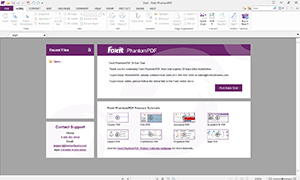
This webinar is targeted to new Foxit PDF Editor users and those evaluating new PDF solutions. This webinar will demonstrate to users how to use Foxit PDF Editor to complete typical workflows such as how to:
Please join Foxit’s “PDF Editor Overview Demo” webinar, and you’ll learn why 700 million users have chosen award winning Foxit products due to its low cost, blazing speed, tight security, small footprint, and ease of use. There is no cost for this Foxit online event.
Nearly every business depends on the smooth flow of documents and content. Yet, many organizations haven’t modernized their document workflows. They rely on manual processes to create, edit, route, and sign business-critical documents. Join this webinar to hear experts from IDC and Foxit discuss:
This webinar will feature recent findings from global firm IDC on how businesses are using esignature to transform document workflows, and how GenAI is changing document-centric business processes.
Forward-thinking healthcare leaders are examining every nook and cranny of their organizations to see where they can improve efficiency and streamline tasks for their teams. Digitizing document workflows is one such area — especially as privacy, patient experience and operational costs remain top of mind for the C-suite.
In this live session, you'll hear from leaders at UK HealthCare (Lexington, Ky.), Cleveland Clinic and Dignity Health (Barrow Neurological Institute) on ways they're transforming operations, administrative functions and document workflows to achieve greater outcomes for staff and patients alike.
Join us for an informative webinar tailored to the healthcare insurance sector as we explore how Foxit PDF Editor Suite and its powerful eSign service can revolutionize document management practices. Discover how our cutting-edge PDF solution, combined with Foxit eSign capabilities, addresses the unique challenges healthcare insurance professionals face, ensuring precision, security, and efficiency.
In today's dynamic business landscape, CIOs and technology decision-makers are adopting a strategic approach to maximize efficiency. They're shifting from an array of document productivity tools to a unified solution that empowers employees across every facet of their workflow. As the pursuit of streamlined operations gains momentum, businesses recognize the value of unified software platforms and vendor consolidation.
Introducing Foxit PDF Editor Suite: a comprehensive document productivity platform designed to propel knowledge workers into the future. This webinar delves into how this all-in-one solution revolutionizes how professionals edit PDFs and eSign documents and collaborate seamlessly with teams. The Suite is engineered to empower users with flexibility, enabling them to drive productivity from any location and device, ultimately contributing to overall organizational effectiveness.
Join us for a transformative webinar as we unveil the power of AI-Based data protection and GenAI. Witness how these revolutionary technologies elevate document productivity, reshaping industries through cutting-edge AI innovations.
Explore how these solutions redefine document analysis, collaboration, and accuracy, achieving unparalleled efficiency. Foxit Software's integration of AI-Based Redaction and AI Assistant into its PDF Editing suite takes center stage, redefining document management and collaboration.
Ready to harness GenAI's potential for operational excellence? Reserve your spot now and embark on a journey to unleash the full power of AI.
CIOs and technology decision-makers are pulling back considerably on spending on different document productivity software so that employees are empowered with one application that can do it all. With the push towards simplification and increased productivity, businesses have recognized that investing in unified software platforms and vendor consolidation was the way forward.
Foxit Software recently launched PDF Editor Suite as an all-in-one document productivity platform enabling knowledge workers to edit PDFs, eSign documents and collaborate with teams in their daily workflow from anywhere and any device, thus helping organizations increase their overall productivity.
In this webinar, learn:
Macroeconomic slowdowns, high inflation, and high interest rates can create a challenging business environment. During these times, companies are looking to cut costs to maintain profitability. One way businesses may attempt to cut costs is by reducing technology investments. Foxit commissioned TechTarget’s Enterprise Strategy Group (ESG) to survey VP and C-suite-level business strategists to understand current business sentiment and strategies to navigate macroeconomic headwinds, with a specific interest in technology spending with a focus on productivity software tools.
In this webinar, featured guest speaker Adam DeMattia, Senior Director of Custom Research at Enterprise Strategy Group, shares his research findings. Also, our speakers Deboshree Sarkar, Sr. Product Marketing Manager, Foxit Software, and DeeDee Kato, VP of Corporate Marketing at Foxit Software will be discussing some interesting Forrester research on the Total Economic Impact Study findings on the potential savings, ROI, and benefits companies can achieve when switching their legacy PDF Editor to Foxit PDF Editor within their organization and how that can help organizations stay on target with their technology spending and cost-cutting initiatives during economic uncertainty.
The pandemic accelerated the speed of change at Kazan Law, a mid-sized boutique law firm based in California. Having led the IT strategy for almost 17 years, Tara Runyan, Kazan’s IT Director, had her priorities clearly cut out:
In this session, we share best practices and learnings from the inception of this change, strategies and trade-offs along the way, testing and deployment, as well as the training required to enable staff to connect effectively and share safely. Learn how key partners, iManage and Foxit, helped Kazan Law save time and costs during economic uncertainty.
In this current post-pandemic world, the hybrid work environment, and the race to keep pace with the changing world of work has resulted in investing in technology with financial benefits that justify the investment.
In this webinar, featured speaker Nick Mayberry, Consultant at Forrester Research shares his research findings on the potential savings, ROI, and benefits companies can achieve when switching to Foxit PDF Editor within their organization. Also, our featured guest speaker Tara Runyan, IT Director, Kazan Law will be sharing their experience with modernizing their IT infrastructure to iManage and replacing Adobe Acrobat with PDF Editor during the time of pandemic helping with cost-saving, and time savings leading to greater productivity gains.
Learn how Foxit Software enables a rise in overall productivity and operational excellence by:
The pandemic was a "stress test" for all companies, clearly showing where their organization stands with digitization and where change is needed. Walking down the office floor to collect the needed wet signatures does not work anymore. With staff working from home, paper-based document processes were simply impossible.
It's pretty certain that working from home is here to stay, and many surveys from various perspectives predict that. This makes the efficient handling of documents and signature needs an essential part of the so-called Employee Experience, which strongly influences satisfaction and productivity. In addition, there is the customer experience, which nowadays also expects an optimal document processing service.
This webinar will discuss the "post-pandemic new normal" for documents and signature workflows.
Electronic signature capabilities integrated within a powerful and robust Foxit PDF Editor enable you to create, sign seamlessly, and collaborate on documents within and outside the organization— anytime, anywhere, on any device.
Join us on this webinar to learn:
eSign capabilities integrated within a powerful and robust Foxit PDF Editor enable you to create, sign seamlessly, and collaborate on documents within and outside the organization— anytime, anywhere on any device.
Join us on this introductory webinar to learn:
Archiving eMails isn't easy or straight forward. The University of Illinois developed conversion criteria and requirements for archiving eMail into PDF containers. What sounds challenging, actually makes things much easier. Other than often proprietary eMail formats, PDF is an ISO standardized format, ubiquitously available, and supported by a whole ecosystem of developers. The industry, through its PDF Association, contributed to and supports eMail Archiving PDF (EA-PDF).
In this webinar, attendees will learn all about the EA-PDF concept - that goes well beyond conversion - by also covering a packaging, representation, and distribution model for eMail archives.
If you're only using a PDF Editor to e-file, you're missing out on a robust tool for the modern law office. Beyond scans and court submissions, join us to see how the right PDF software provides new ways to collaborate and edit documents, make redactions, organize case files, add eSignature, and even replicate the paper experience for tech-phobic attorneys.

The COVID-19 pandemic has wreaked havoc on the country’s economy and has thrust financial institutions to the forefront. Record-low interest rates sent homeowners scrambling to refinance their homes and encouraged a surge in homebuying. Small business owners rushed to secure PPP loans to keep their businesses afloat. Meanwhile, nationwide shelter-in-place mandates led to a growing dependence on technology by FIs just to maintain smooth business operations. Even after the global crisis subsides, customers will have formed new banking habits and FIs will have to respond in kind. We’re transitioning to a new normal, requiring banks and credit unions to enhance their processes to better serve their communities.
Join us for this free webinar where we share how you can immediately enhance your legacy business processes so you can meet your customers exactly where they are. In this webinar, you’ll learn:

Despite efforts to fully digitize the healthcare landscape, paper and other means of legacy documentation persist in most organizations. The opportunity for healthcare organizations to better leverage digital documents like PDFs is great, yet adoption lags. This webinar will offer attendees a look at exclusive HIMSS Media research showing the current state of PDF adoption across the healthcare market, with an emphasis on current usage and opportunities for greater digital conversion. Topics covered will include:
Learn from CIO Paul Dalton at tru Independence standardize on ONE PDF editor to simplify deployment, training, and license management with Foxit PhantomPDF across all registered investment advisors and wealth management customers.
Learning points:
The efficiency of any operations department within financial services depends on workflow. Saving employees time and making the team more efficient through automation will enable a company to do more with less stress or frustration, especially when working remotely during the coronavirus crisis.
Efficiency leads to bigger bottom-line profits. To streamline work processes and improve workflow, a business has to assess the entire operation from top to bottom. Financial institutions have to evaluate the use of paper in the office, including how forms are used, processed and archived.
The financial services industry has to look for areas of improvement that move towards digitising manual processes and eliminating physical paperwork from order forms, onboarding documents and agreements.
Learn from Banco Santander and bookkeeping startup Xendoo on Foxit’s webinar on digitising paperwork during the coronavirus crisis and the challenges faced when working remotely. From scanning documents, using OCR to make it text scannable and searchable, to the issues people face when relying on paper located in the office.
Did you know remote workers lose thousands of hours accessing?documents? This has become a growing concern, causing a decrease in productivity as well as employee frustration. Not to mention, waiting longer for documents to open is affecting employee response time and delaying customer requests.
Has this become a growing concern for your organization? Join our webinar to learn how you can overcome these challenges.
Paper-based processes consume time and limited resources, which keeps law firms from fulfilling their mission of providing the best service to clients. Transitioning to digital can feel daunting, but it doesn't have to be.
This webcast will discuss the following:
Join Foxit for this no-cost webcast to discover how to learn practical strategies for going paperless.
Speaker: DeeDee Kato, Vice President of Corporate Marketing for Foxit Software
Please join us in learning about Foxit PDF, a well-rounded alternative to Acrobat. DeeDee Kato, Foxit's Senior Director of Marketing will provide insight as to what makes Foxit the chosen PDF program. This webinar will take a dive into how the software is actually used on a day to day basis and highlighting features that make it a solid choice.
Do you have to manage large volumes of patient information coming in from different hospitals via fax, insurance claims that require manual document processing, or mass quantities of court documents that require court transaction numbers applied?
Let us show you how to automate manual processes to improve customer responsiveness, increase efficiency, and speed business with robotic process automation (RPA) and PhantomPDF 9.7 integration.
Are paper-based records slowing down your organization? Transform to digital records by cutting cost of paper, eliminating manual filling and archiving errors, improving staff efficiency, and reducing chart analysis time so that healthcare professionals can enhance patient experience.
Implement practical innovations today rather than ideas that affect you years from now. If you are an IT leader, health records manager, healthcare manager, or clinician concerned about maintaining an efficient, accurate, and comprehensive medical record process, join us on December 10th, at 10am PST.
The webinar will cover practical examples and innovations:

Transitioning into a paperless office and working with digital documents is always easier said than done. A lot of times companies struggle to find the right solution to manage their workflow and allow them to properly work on their digital files. Our partner IMA Financial was one of those companies that were looking for a way to reduce the amount of applications they were using. They found Foxit’s PDF technology as the best solution to standardize their digital document workflows, while saving them time and money costs.
In this webinar with IMA Financial:
We’ll be sharing insights on:
Hear from our experts on how to make your PDFs accessible in two 30-minute sessions. We will include a high-level overview of the basics and touch on more advanced topics in this 2-part series.
PDF Accessibility Part 1: Basics of PDF Accessibility
Learn the basics of tagging for Section 508 compliance. In this first session, we will briefly go over the process and tools to use, depending on the type of document that requires tags for screen readers. We will then quickly go into a demo of Foxit PhantomPDF Release 9.6 and show you how, including additional features to improve efficiency.
PDF Accessibility Part 2: Making PDFs Accessible
Learn how to:

Public cloud storage might look cost-effective at first glance, but AWS, Azure, and Google Cloud will saddle you with egress charges for every file you pull out of the cloud - and these add up quick.
So how can you predict your real cloud storage TCO?
Cloud content migration strategies frequently overlook file access performance and storage costs. In this session, we will explore how organizations can avoid the ticking cost time bomb and provide tips on how to reduce the size of documents while maintaining the best quality for your content systems.
In this webinar, you will learn how to:
If you are responsible for cost containment, records/document/archive/content management, or even developing your own in-house applications that require document capture, optimized compression, archiving of documents, this session is for you.
Managing the flow of patient records is getting harder and harder. Hospitals need to capture, transform, integrate, and customize millions of patient health data. The speed, volume, and complexity of new information going in and out of hospitals have created new challenges. In fact, healthcare organizations have most of their medical data unstructured and untapped after it is created (e.g. text, images, forms, emails). This hinders the ability to improve treatments, make an accurate diagnosis, reduce cost, achieve compliance, and create interoperability.
Hear these key learning points:
It’s easy right? Just scan your documents, use some software to make it text searchable, and save them somewhere. But what if the files are too large? What if you don’t have software to make it text searchable, or the tool you have is slow or not very accurate? And once the paper is electronic, how do you prevent scattered legal matter, or worse, files in the wrong hands.
Transitioning to digital can feel daunting, but it doesn't have to be. Learn practical strategies to go paperless.
This webinar addresses organizations which need high quality PDF documents in their applications, such as the Digital mailroom or digitization projects. Presenter Thomas Zellmann will highlight aspects that are crucial when choosing an OCR software, including important criteria such as:
Armin Ortmann, CTO of Foxit Enterprise Automation will then present the features of Maestro Server OCR in a live product demo in the second part of the webinar. Maestro is a robust, server-based solution that offers extensive capabilities to handle high volumes of documents in an automated and efficient manner, especially when it comes to black and white scanning. Finally, we'll show you how to use Maestro Server OCR optimally in your IT configuration.
You want to create more accessible PDF documents from scanned images? In this webinar you will learn why PDF Compressor is the go-to-solution for your scanning projects when it comes to creating more accessible documents from scanned images. The webinar will start with a short introduction to the subject of accessibility, with a focus on PDF documents (and the ISO standard PDF/UA).
In a live demo by Armin Ortmann (Head of Development for Enterprise Automation) you will learn:
In the last part of the webinar we will describe a number of utilization scenarios for the PDF Compressor in the scanning services sector and for digitization projects.
How do forward-looking organizations break down silos and optimize their document conversion strategies? On Wednesday March 27th, we’ll look at how centralizing document conversion and generation contributes to a modern IT architecture and a better customer experience.
Foxit PhantomPDF 9.4 is a powerful solution to create, review, edit, manage, share, and secure PDFs in an affordable and easy-to-use application. Let us show you all its power in this 2-week webinar series!
Thursday Jan 31 - PDF Forms Part 1: Create, Protect, and Basic Digital Signatures
Learn how to convert a scanned paper form or a form made in Microsoft Word, Excel, or another application into an intelligent PDF form, and discover a number of options for electronically signing PDFs.
Thursday Feb 7 - PDF Forms Part 2: JavaScript and 2D Barcodes
Learn how to use JavaScript to create interactive PDFs to perform useful tasks.
Foxit launched a new release PDF Compressor in January. The new version (version 8) will convert scanned images and digital documents to PDF and PDF/A.
The new version will merge the already leading technologies of CVISION and LuraTech, both became part of Foxit through acquisition. Now PDF Compressor combines “both of best worlds” in one solution. In addition, Foxit’s outstanding core PDF technology is now used as solid PDF foundation.
This webinar will provide:
Today, title companies must face an ever-increasing volume of title, mortgage, escrow and other closing real estate documents. Title professionals can improve workflow, save money, reduce costs and improve customer service by embracing paperless processing.
Learn from MLHC how a paperless environment has been a key initiative across all 8 MLHC divisions and how Foxit PhantomPDF gave them the ability to improve workflow without paper:
During this webinar, you will learn how to:
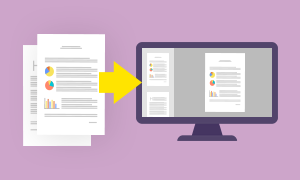
Paper-based processes consume time and limited resources and keep government agencies from fulfilling their missions of providing the best service to customers and constituents. Transitioning to digital can feel daunting, but it doesn’t have to be. In this webinar, our government and industry experts offer practical strategies to go paperless. And this free Government Technology webcast also covers:
The webinar focuses on digitalization of business files and emails. It begins with a short introduction of the topic and describes use cases including the advantages of PDF/A and the best practices from over ten years of experience. In the end of the webinar it will be outlined how the server-based Foxit solutions PDF Compressor and Rendition Server can help accomplish those tasks.
Is your court operation in a state of caseload overload? Regardless of which case management system you use, PDFs are critical documents that can easily cause rejected filings. Learn best practices on how to submit appellate records to the Courts.
You ’ll discover:
Talk to our expert Dan Morris who will teach you tips and tricks on the following:
.... and much more!
Whether you are processing Court documents, responding to FOIA requests, or responsible for public disclosures, you won’t want to miss this interactive session!
Learn how to make complex tables, column headers, etc. accessible using the new release of PhantomPDF 9.1. With mandatory compliance now required through the 508 Refresh, don’t miss this educational session!
.... and much more!

Talk to our expert Frank Kettenstock who will teach you how to edit a document using PhantomPDF like it was a Word document. The following tips and tricks will be covered:
.... and much more!
Learn and connect with others in this 30-min interactive session.
Whether you are doing manual edits to single PDF documents or automated edits to mass quantities of paper or digital files (e.g. Word, TIFF, PDF/A, etc), Foxit has one easy –to-use, secure platform for all your PDF needs. In this introductory session for Government users, Frank Kettenstock will teach you to edit a PDF file like a Word document using PhantomPDF’s easy to use Microsoft Office like interface.
.... and much more!
NARA (The National Archives and Records Administration) is the final depository for the long-term records generated by all other agencies of the U.S. Federal Government. According to NARA’s newly-released draft strategic plan, the agency will stop accepting paper records at the end of 2022. The practice of paper records-keeping will, finally, come to an end, even if that “end” means scanning a pen-signed piece of paper and PDF/A is a preferred format.
Talk to our experts from Foxit Software, Gert Michiels, Product Management, and Dan Morris, Senior Solutions Architect who will discuss PDF/A in U.S. Government, and how to centralize the conversion of your emails and documents to PDF, PDF/A.
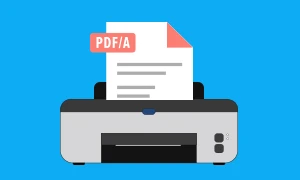
Is it possible to automate accessibility in PDF documents? Auto-tagging and Accessibility Checkers in PDF editors can be applied manually, but how can this work on mass quantity of documents? Learn how automation with Foxit PDF Compressor converts, OCR and auto-tags batches of files (MS Word docs, emails, scanned documents, plain PDFs), cutting down the amount of time spent on the compliance basics. Then the new release of Foxit PhantomPDF 9.0 can be used to verify and ensure the content makes sense for assistive technology.
Talk to our experts, Carsten Heiermann, CEO of Foxit Europe and Dan Morris, Sr. Solutions Architect, who will walk you through the process, making accessibility implementation quick and easy.
Although the digital transformation continues at pace, paper versions of documents are estimated to still number in the trillions. This hardcopy deluge provides challenges for businesses and governments obligated to securely store, find and retrieve this information for years, even decades.
It also creates demand for technologies capable of automated capture, content understanding and data extraction, to allow the information within these documents to be unharnessed and understood in real-time.
View this webinar, hosted by Harvey Spencer Associates, a technology analyst firm, and Foxit Software, a PDF software vendor, to explore the market trends and technology advancements in the data capture marketplace.
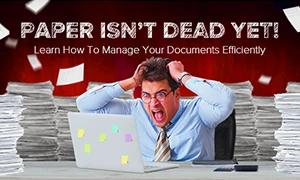
In this webinar, we’ll show you the new options the PDF Compressor offers for creating low-barrier documents during scanning projects. The webinar will begin with a short introduction to the subject of accessibility, with a focus on PDF documents (where PDF/UA is the ISO standard).
In a LIVE demo, our Head of Development, Armin Ortmann, will show you how the PDF Compressor can be used to convert scanned documents into low-barrier files. We’ll also show you how Foxit PhantomPDF can easily test a document’s accessibility. We’ll then show you an example of a more detailed test using the PDF Accessibility Checker (PAC 2).
Finally, we’ll describe a number of application scenarios for the PDF Compressor in the scanning services sector and for digitization projects.

It’s no secret that banks like yours face ongoing pressure to increase productivity across your organization while controlling costs. And customer expectations are increasing relentlessly.
Foxit can help, just as we’ve helped financial organizations such as JP Morgan, Goldman Sachs, and Lloyds.
In this free webinar we explore four common ways that banks are adopting best practices in document management:

Foxit and eDepoze have joined forces and legal / court systems everywhere are discovering how to go paperless. In this webinar you’ll get the opportunity to:
Join us for a discussion of common court/litigation challenges, a live demonstration that tackles these common issues, and advice for moving Courts and Law Firms to fulfill paperless and “cloud-first” mandates securely and with confidence.
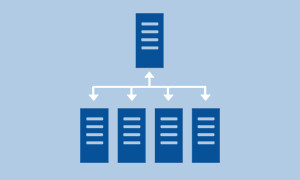
Foxit Rendition Server provides opportunities to centralize the conversion of your documents to PDF, and is rapidly being embraced by a variety of companies. By attending this webinar you will hear how these companies are using Rendition Server in projects ranging from delivery to customization to turnkey development. There will also be a demonstration of the most exciting capabilities of Rendition Server.
And there will be plenty of opportunity for you to ask questions, and have them answered, during this event.
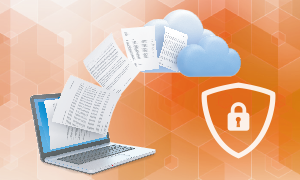
Massive data breaches at companies like Yahoo and Target are becoming more frequent. This increasing threat, however, does not only come from malicious outsiders infiltrating corporate IT systems but also from people within an organization whom, by accident or intent, release sensitive information, often in the form of documents.
View this webinar, hosted by market research firm, BPI Network, and software vendor, Foxit Software, to learn how smart PDFs can help protect organizations from the loss of confidential information.
Do you use online fillable PDF forms, but need to print them after they've been filled in order to collect the data? If so, there's a way to make the process more efficient by embedding a 2D barcode in the form.
2D barcodes open a world of possibilities - they eliminate errors in paper forms data collection - and that means you can forget about errors or false positives that are frequently produced when OCR is used.
Attend this webinar to learn more.
No more PDF stress – We’ll show you how it’s done – Register now for our latest webinar!
The webinar will begin with a brief introduction to PDF/A, the ISO standard for long-term document archiving. The format’s wide range of applications will be presented, including its utility for both scanned and digital documents, as will the benefits that PDF/A offers. Practical, straightforward examples of the PDF Compressor’s usage will be demonstrated for all areas of application, from scanned documents to emails and digital invoices in compliance with ZUGFeRD. We look forward to responding to your questions and comments both during and after the session!

It is estimated that more than 2.5 trillion PDFs are created annually, and the number of documents we create will continue to grow and multiply into the future. Tracking these documents, making sure they're up to date, verifying their authenticity and ensuring they're not in the wrong hands—while also expediting their creation, modification, approval and distribution—is a vexing issue for all of us.
Join this webinar, hosted by BPI Network, a market research firm, and Foxit Software, and hear how PDF software is adapting to the demands of businesses and individuals.
With the help of practical examples, learn how you can successfully convert emails and their attachments into PDF or PDF/A format without any user interaction.
PDF/A has become an established archiving format. One current trend in the document management field is that of email management and archiving. In our webinar, you’ll get to know a set of strategies for implementing email management projects with PDF/A and hear about best practices.
Our cutting-edge webinar first provides a brief introduction to the subject of email management and summarizes the most important aspects of the PDF/A standard. A number of different scenarios will be used to explain the possibilities for converting emails and their attachments to PDF/A and a practical demo will be given to our tried-and-tested PDF Compressor. PDF/A and PDF/A-3 in particular, open up options in this field which have previously been impossible to implement.
The webinar is free of charge and you can easily register as below.

So many business processes begin with a sheet of paper. Maybe it’s an application form in the B2C field, maybe it’s a B2B contract. Maybe it’s for internal use, like an expense sheet for an employee’s latest off-site trip. The possibilities go on and on.
In this webinar, you’ll learn how you can develop interactive scanning apps quickly and without any prior understanding of image processing – or how to add functions like document submission to existing apps with a minimum of time investment. And all of this with maximum emphasis on the quality of the scan, and as many processing steps completed automatically as possible – including OCR and other functions. And in the mobile world, of course, document compression is particularly valuable.
Wouldn’t it be interesting, then, if this kind of smart scanning app could be integrated into a business’ own systems using web service architectures – meaning that not only would processes complete automatically, but the smartphone user would also receive responses to their submissions, including approval messages and signatures?
Join us for this webinar as our speaker Carsten Heiermann takes you on a tour of the possibilities and technologies that smart scanning apps present. You too can soon start offering improved customer services at reduced costs.

In this webinar, you’ll get a look at the new product from all angles. We’ll explain the advantages that central document conversion brings and show how the LuraTech Rendition Server is suited to this task. Next, we’ll go further in-depth on the technology and system architecture, and give an example of how the Rendition Server can be integrated and how it can be expanded using a plugin interface. A business-wide platform also faces specific configuration, operation and maintenance requirements. We’ll show you what the Rendition Server brings to the table to make IT administrators’ lives easier. Finally, we’ll explain the licensing model and the various expansion levels.
If you are looking for a multi-feature editor that enables you to create, edit, organize, read and sign PDF files, and also convert scanned and OCR-processed hardcopies into PDFs and modify them, then this webinar is for you. We examine the latest functionality available with PhantomPDF 7 and explore how you can use them to create professional-looking documents.